Helping Pixel Pricing Comparison Matrix Pro Documentation
1. About Helping Pixel - Pricing Comparison Matrix Pro
Choosing a plan should be easy for your customers. Helping Pixel - Pricing Comparison Matrix Pro helps you display your pricing options clearly so potential buyers can easily compare features and pick the right plan for their needs.
Whether you want to show a clean 2-plan comparison or a detailed feature table with monthly and yearly pricing toggles, tooltips, and organized feature categories, this module gives you total control. You can customize colors, fonts, badges, and button styles directly inside the HubSpot editor without editing any code.
It is lightweight, fully responsive on all screen sizes, and built to help you turn page visitors into paying customers.
2. What Makes This Module Special?
- Interactive Billing Toggle: Let your customers switch instantly between monthly and yearly billing with smooth transitions and eye-catching discount badges.
- Flexible Plan Layouts: Easily showcase anywhere from 2 to 5 pricing tiers, complete with highlighted popular cards and sleek dark or light layout options.
- Detailed Feature Breakdown: Organize complex software features into clean, collapsible categories (like Core Tools, Advanced Features, and Support) with helpful hover tooltips.
- 100% Code-Free Customization: Control every visual detail—from brand colors and typography to badges and button styles—directly inside the native HubSpot page editor.
- Lightning Fast & Fully Responsive: Built with clean, optimized code to ensure your pricing tables look stunning and load instantly on desktops, tablets, and mobile phones.
3. Quick Installation Guide
- Log in to your HubSpot account.
- Go to the Marketplace and select Modules.
- Search for
Helping Pixeland select Helping Pixel - Pricing Comparison Matrix Pro. - Click Install to add the module to your portal.
- Open any page editor, drag and drop the module onto your layout, and start customizing.
4. Step-by-Step Setup in HubSpot
- Open Page Editor: Go to Marketing > Website > Website Pages or Landing Pages and open your page.
- Add Module: In the left sidebar (+ Add), search for
Helping Pixel - Pricing Comparison Matrix Proand drag it onto your page. - Customize Content & Media: Add your slides, headings, buttons, and choose your background (image, video, or solid color).
- Preview & Publish: Check mobile and desktop views, then click Publish.
5. Editor Controls & Customization
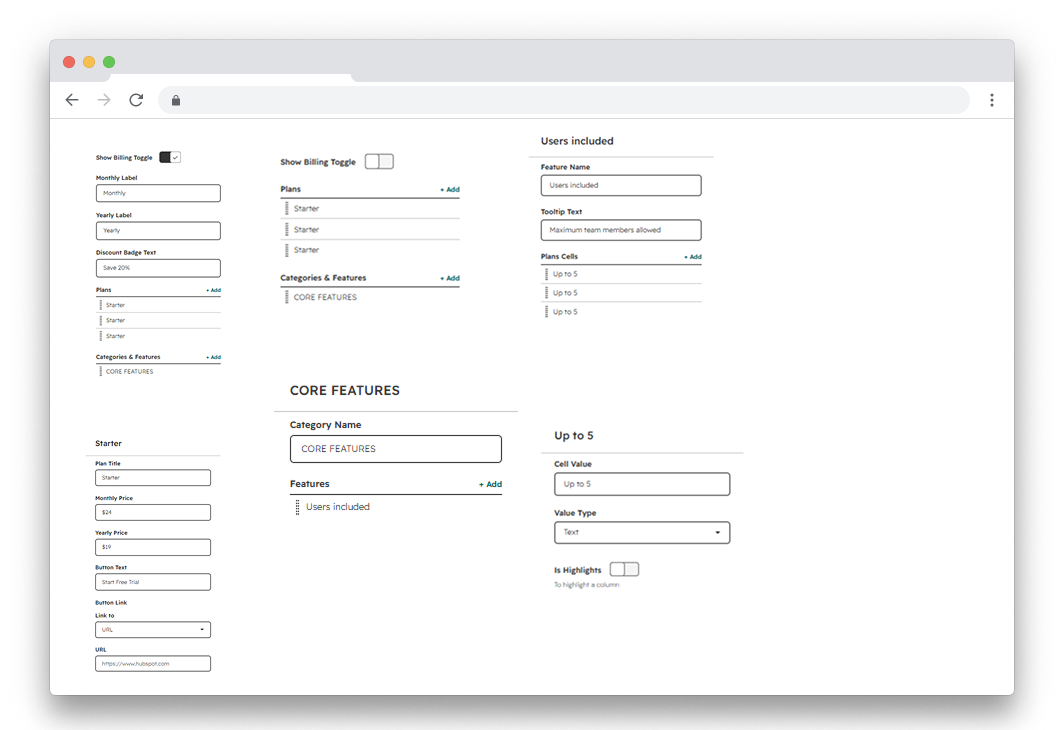
Content Options:
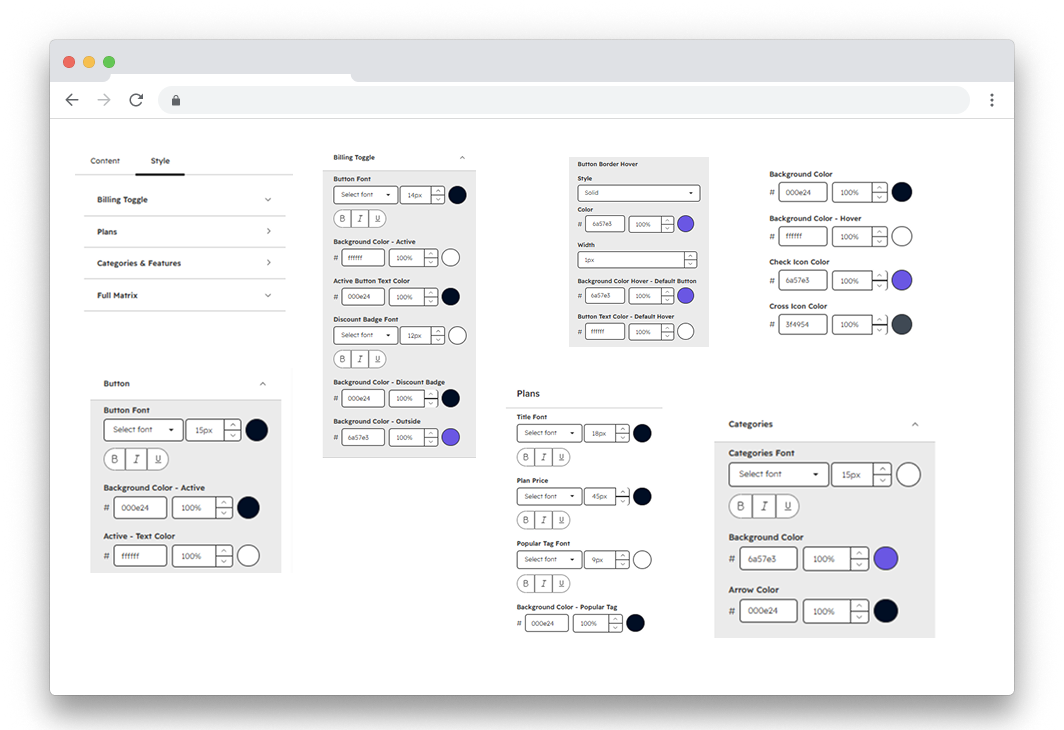
Style & Design Options:
Explore the Module or Get Support
Experience all interactive features on our live preview page, or reach out to our team if you need assistance setting up your hero banner.